
PocketHook chat with your server

Connect your Apple devices to your own server with full privacy. Chat with a self-hosted AI agent, call any HTTPS API, and run iOS Shortcuts from Siri or automation workflows.

Free download · Chat and Shortcuts free forever · 14-day Pro trial included
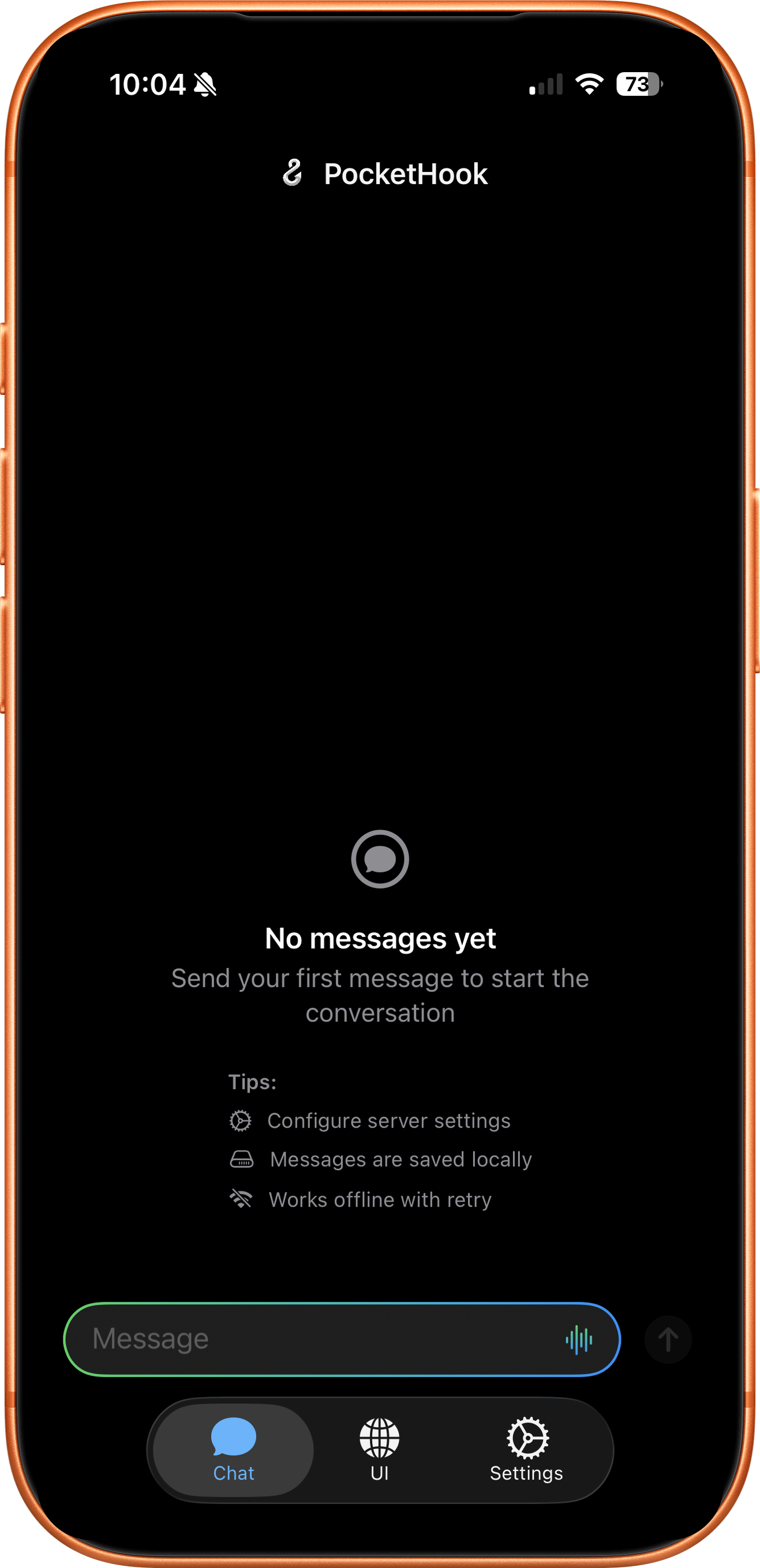
PocketHook App Preview

Key Features
#

Your Server, Your Rules

Connect to your own server — our agent server, n8n, a custom API, or any HTTPS endpoint you control. Your data never leaves your infrastructure. No third-party cloud required.

Smart Chat Interface

A native chat app with Markdown, HTML, images, interactive buttons, and voice dictation. Rich content rendered beautifully — like talking to ChatGPT, but with your own server.

Shortcuts & Siri

Your server triggers Shortcuts automatically. Six Siri intents let you send messages, extract data, and automate from anywhere on your device.

Privacy First

HTTPS-only connections. Credentials in Apple Keychain. Direct link to YOUR server — no middleman, no tracking, no data collection. Your conversations stay yours.

Multi-Action Responses

Your server can return multiple actions in a single response. PocketHook runs them in sequence, passing results between Shortcuts so you can build complex, dependency-aware workflows.

Agent Server

Use our open-source agent server to turn PocketHook into a full AI assistant. Connect any LLM (Claude, GPT, Gemini, Ollama), with tool-calling, background jobs, semantic memory with knowledge graph, dynamic skills, and self-extending custom tools — all running on your machine.


And More
#

🌐

Personal UI Pro

Embed your own web interface inside PocketHook. Dashboards, admin panels, or any page you need — always one tap away.

🔗

Links Collection Pro

Every link from server responses is saved automatically with rich previews. Search, browse, and manage them independently from your chat.

🎤

Voice Dictation

Speak instead of type. Built-in speech-to-text lets you dictate messages to your server hands-free.

🧠

Semantic Memory

With our agent server, your assistant remembers everything. Vector-based semantic search finds relevant context across sessions — even when you don't use the exact same words.

🕸️

Knowledge Graph

The agent server stores durable facts as temporal triples. It knows your name, your preferences, your projects — and updates them automatically when things change.

📦

Data Export Pro

Export your entire conversation history as JSON. Your data, your format, always portable.

🔄

Background Polling Pro

PocketHook checks your server periodically and notifies you when there's something new. Stay informed without keeping the app open.

📱

iPhone, iPad & Mac

Adaptive layout that looks great on iPhone, iPad, and Mac. Same features, optimized for every screen size.


Pricing
#

Free to download. Chat and Shortcuts stay free forever. A one-time purchase unlocks the advanced features for life.

Free

$0 · forever

  • Native chat with any HTTPS server
  • Markdown, HTML, images, and interactive buttons
  • iOS Shortcuts and Siri integration (6 intents)
  • Voice dictation in 39 languages
  • Offline queue with automatic retry
  • Health-check monitoring
  • OpenClaw compatibility mode

Everything you need to chat with your server and trigger Shortcuts. No account, no tracking.

PocketHook Pro

$14.99 · one-time, lifetime

  • Everything in Free
  • Personal UI — embed your own web interface inside PocketHook
  • Links tab — every URL from your server saved with rich previews
  • Background Jobs — periodic polling and push notifications
  • Data export to JSON
  • All future Pro features included

Try every Pro feature free for 14 days. After the trial, unlock them all with one payment — no subscription, ever.


Get PocketHook
#

Free on the App Store

Download PocketHook and connect your Apple devices to your own server. Pro features included free for 14 days.

Download Now

How PocketHook Works
#

Connect your device to your server in 3 simple steps

1

Install PocketHook

Download the app from the App Store and install it on your iPhone, iPad, or Mac.

2

Connect Your Server

Point PocketHook to our agent server, your n8n instance, self-hosted API, or any HTTPS endpoint. Your data stays on your server.

3

Start Automating

Chat with your server, create Shortcuts automations, or combine both for powerful workflows.


Frequently Asked Questions
#

What is PocketHook?
PocketHook is a native Apple app that connects you to your own automation server. Chat directly with it like ChatGPT, automate tasks via Shortcuts, or combine both. Available on iPhone, iPad, and Mac. You control the server, the data, and the workflows.
Why PocketHook?
AI assistants are coming — that’s inevitable. But when they come from big tech companies, they’ll be black boxes. You won’t know what happens with your data, who has access, or what decisions are being made on your behalf. That doesn’t sit right with us. We believe you should know exactly what’s happening at every step: where your messages go, what your server does with them, and where you place your trust. PocketHook puts you in control. Your server, your rules, your data — no hidden layers, no opaque pipelines, no surprises.
What servers can I connect to?
Any server with an HTTPS endpoint. The easiest way to get started is with our open-source PocketHook Agent Server — it gives you a full AI assistant with tool-calling, background jobs, semantic memory, a knowledge graph, and dynamic skills out of the box. You can also use n8n, your own custom API, or any OpenClaw-compatible agent. PocketHook supports the standard OpenAI Chat Completions format too. You have complete control over where your data goes.
Is my data secure?
Absolutely. PocketHook stores your API keys in Apple Keychain and connects directly to YOUR server. There’s no middleman, no third-party tracking, and you own all your data.
Does PocketHook work with AI?
Yes — and it’s the best way to use AI with Apple automation. Our open-source PocketHook Agent Server connects any LLM (Claude, GPT, Gemini, or local models via Ollama) to PocketHook with tool-calling, background jobs, semantic memory with a knowledge graph, dynamic skills, and self-extending custom tools. Your agent remembers context across sessions, tracks facts about your life, and organizes knowledge using the PARA method. You get a ChatGPT-like experience you fully control, plus Shortcuts and Siri integration no other AI app can match.
Is this a ChatGPT client?
No — it’s better. You chat with YOUR server. Use our agent server to connect any LLM you want (Claude, GPT, Gemini, Ollama), or use n8n, a custom API, or an OpenClaw agent. Your server can use any AI, any data source, any logic. You’re not locked to one provider or their rules.
What is PocketHook Agent Server?
It’s our free, open-source server that turns PocketHook into a full AI assistant. It supports 10+ LLM providers (including local models via Ollama), agent tools (shell, files, web search, web scraping), background jobs with cron scheduling, a three-layer memory system (conversation, semantic vectors, and a knowledge graph), the PARA method for organizing knowledge, dynamic skills that load on demand, dev server management, and self-extending custom tools. Clone it, run bun run setup, and you’re ready. See the Agent Server docs for details.
Chat or Shortcuts—which should I use?
Both! Chat for interactive tasks (“summarize my emails”). Shortcuts for automation (“backup photos every night”). PocketHook connects them seamlessly, so you can build hybrid workflows.
Where can I get PocketHook?
PocketHook is available on the App Store for iPhone, iPad, and Mac. Download it and start connecting to your own server right away.
What version do I need?
PocketHook requires iOS 26 / iPadOS 26 or later. On Mac, it runs via iPad compatibility (macOS 26+). Built with the latest SwiftUI for optimal performance.
How much does PocketHook cost?
PocketHook is free to download on the App Store. Chat with your server and iOS Shortcuts/Siri integration stay free forever. Advanced features (Personal UI, Links tab, Background Jobs) are part of PocketHook Pro — try them free for 14 days, then unlock for life with a single $14.99 payment. No subscription, no recurring fees, ever.
What's the difference between Free and Pro?

Free gives you everything you need to chat with your server and run iOS Shortcuts/Siri: rich content rendering (Markdown, HTML, images, buttons), six App Intents for Siri and Shortcuts, voice dictation in 39 languages, offline queue with automatic retry, health-check monitoring, and OpenClaw compatibility — forever, with no time limit.

Pro unlocks the advanced productivity features: the embedded Personal UI tab for your own web interface, the Links tab that auto-saves every URL from your server with rich previews, Background Jobs with periodic polling and push notifications, and conversation export to JSON. Every new Pro feature we add in the future is included.

When you install PocketHook, all Pro features are unlocked for 14 days so you can try them. After the trial, you can keep using Free or unlock Pro for life with one $14.99 payment.

Is there a Mac version?
PocketHook works on Mac today via iPad compatibility — you can download it from the App Store on any Mac running macOS 26 or later. All features work, including Shortcuts and Siri. If there’s enough demand, we’ll build a dedicated Mac version with a native macOS interface.
Is there an Android version?
No. PocketHook is deeply integrated with Apple Shortcuts and Siri — that’s what makes it powerful. Android doesn’t have an equivalent automation framework, so a port wouldn’t offer the same experience. PocketHook is an Apple-only app.
Do I need coding knowledge?
PocketHook is built for builders — people who enjoy setting up their own server, configuring workflows, and tinkering. You don’t need to be a developer: our agent server has an interactive setup wizard that gets you running in minutes. But you should be comfortable with tools like n8n, APIs, and Apple Shortcuts. This is not a plug-and-play product.