Your Server, Your Rules
Connect to your own server — our agent server, n8n, a custom API, or any HTTPS endpoint you control. Your data never leaves your infrastructure. No third-party cloud required.
Smart Chat Interface
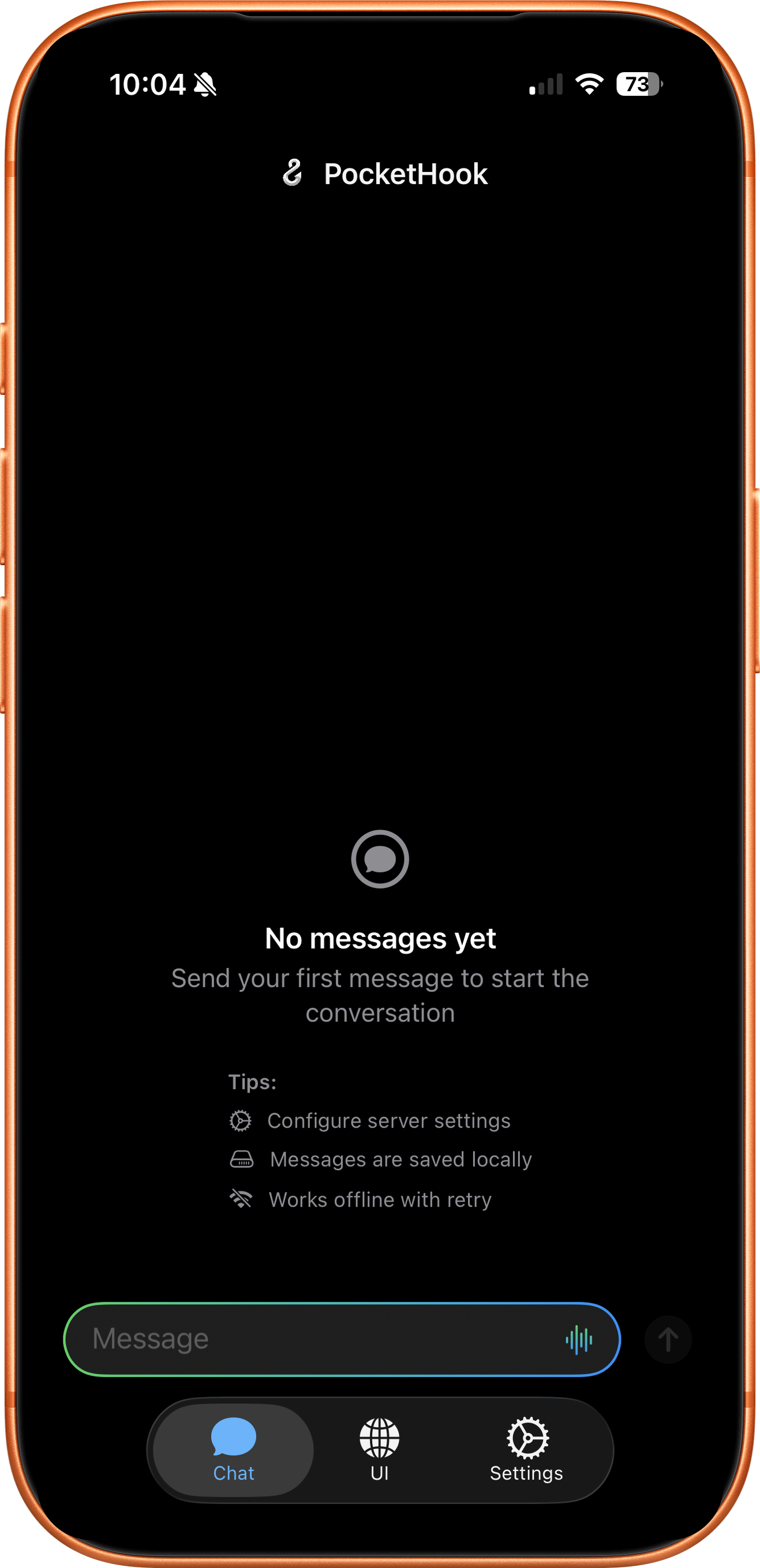
A native chat app with Markdown, HTML, images, interactive buttons, and voice dictation. Rich content rendered beautifully — like talking to ChatGPT, but with your own server.
Shortcuts & Siri
Your server triggers Shortcuts automatically. Six Siri intents let you send messages, extract data, and automate from anywhere on your device.
Privacy First
HTTPS-only connections. Credentials in Apple Keychain. Direct link to YOUR server — no middleman, no tracking, no data collection. Your conversations stay yours.
Multi-Action Responses
Your server can return multiple actions in a single response. PocketHook runs them in sequence, passing results between Shortcuts so you can build complex, dependency-aware workflows.
Agent Server
Use our open-source agent server to turn PocketHook into a full AI assistant. Connect any LLM (Claude, GPT, Gemini, Ollama), with tool-calling, background jobs, long-term memory, and self-extending custom tools — all running on your machine.
1
→
Install PocketHook
Download the app from the App Store and install it on your iPhone, iPad, or Mac.
2
→
Connect Your Server
Point PocketHook to our agent server, your n8n instance, self-hosted API, or any HTTPS endpoint. Your data stays on your server.
3
Start Automating
Chat with your server, create Shortcuts automations, or combine both for powerful workflows.
What is PocketHook?
PocketHook is a native Apple app that connects you to your own automation server. Chat directly with it like ChatGPT, automate tasks via Shortcuts, or combine both. Available on iPhone, iPad, and Mac. You control the server, the data, and the workflows.
Why PocketHook?
AI assistants are coming — that’s inevitable. But when they come from big tech companies, they’ll be black boxes. You won’t know what happens with your data, who has access, or what decisions are being made on your behalf. That doesn’t sit right with us. We believe you should know exactly what’s happening at every step: where your messages go, what your server does with them, and where you place your trust. PocketHook puts you in control. Your server, your rules, your data — no hidden layers, no opaque pipelines, no surprises.
What servers can I connect to?
Any server with an HTTPS endpoint. The easiest way to get started is with our open-source PocketHook Agent Server — it gives you a full AI assistant with tool-calling, background jobs, and memory out of the box. You can also use n8n, your own custom API, or any OpenClaw-compatible agent. PocketHook supports the standard OpenAI Chat Completions format too. You have complete control over where your data goes.
Is my data secure?
Absolutely. PocketHook stores your API keys in Apple Keychain and connects directly to YOUR server. There’s no middleman, no third-party tracking, and you own all your data.
Does PocketHook work with AI?
Yes — and it’s the best way to use AI with Apple automation. Our open-source PocketHook Agent Server connects any LLM (Claude, GPT, Gemini, or local models via Ollama) to PocketHook with tool-calling, background jobs, long-term memory, and self-extending custom tools. You get a ChatGPT-like experience you fully control, plus Shortcuts and Siri integration no other AI app can match. You can also connect PocketHook to n8n, OpenClaw, or any server you prefer.
Is this a ChatGPT client?
No — it’s better. You chat with YOUR server. Use our agent server to connect any LLM you want (Claude, GPT, Gemini, Ollama), or use n8n, a custom API, or an OpenClaw agent. Your server can use any AI, any data source, any logic. You’re not locked to one provider or their rules.
What is PocketHook Agent Server?
It’s our free, open-source server that turns PocketHook into a full AI assistant. It supports 10+ LLM providers (including local models via Ollama), agent tools (shell, files, web search, web scraping), background jobs with cron scheduling, long-term memory, hot-reloadable skills, dev server management, and self-extending custom tools. Clone it, run
bun run setup, and you’re ready. See the
Agent Server docs for details.
Chat or Shortcuts—which should I use?
Both! Chat for interactive tasks (“summarize my emails”). Shortcuts for automation (“backup photos every night”). PocketHook connects them seamlessly, so you can build hybrid workflows.
Where can I get PocketHook?
PocketHook is available on the App Store for iPhone, iPad, and Mac. Download it and start connecting to your own server right away.
What version do I need?
PocketHook requires iOS 26 / iPadOS 26 or later. On Mac, it runs via iPad compatibility (macOS 26+). Built with the latest SwiftUI for optimal performance.
Will it be free?
PocketHook is a one-time purchase on the App Store — no subscription, no recurring fees, ever. We hate subscriptions as much as you do. You pay once and you own it. Check the app listing for current pricing.
Is there a Mac version?
PocketHook works on Mac today via iPad compatibility — you can download it from the App Store on any Mac running macOS 26 or later. All features work, including Shortcuts and Siri. If there’s enough demand, we’ll build a dedicated Mac version with a native macOS interface.
Is there an Android version?
No. PocketHook is deeply integrated with Apple Shortcuts and Siri — that’s what makes it powerful. Android doesn’t have an equivalent automation framework, so a port wouldn’t offer the same experience. PocketHook is an Apple-only app.
Do I need coding knowledge?
PocketHook is built for builders — people who enjoy setting up their own server, configuring workflows, and tinkering. You don’t need to be a developer: our agent server has an interactive setup wizard that gets you running in minutes. But you should be comfortable with tools like n8n, APIs, and Apple Shortcuts. This is not a plug-and-play product.